Thirty habits that separate a lucky print from a reliable one: first layers, slicer settings, filament care, stronger parts, cleaner finishes and simple maintenance. Tick them off as you go.
Masters do not have a magic setting. They change one thing at a time, they print small tests before big jobs, and they treat a failed print as information.
This guide is organised the way a print happens: the plate, the slicer, the filament, the design, the finish and the machine. Use the checklist below to track what you have mastered. It saves your progress on this device.
Interactive
The master's checklist
Tick each habit you already follow. Filter by stage to focus on one area.
0
02 / 08
Nail the first layer
Around 80% of failed prints fail in the first five minutes. A clean, flat plate with the right surface does more for your prints than any setting.
On Bambu Lab printers the bed is levelled automatically, so first-layer problems almost always come from grease on the plate, the wrong plate for the material, or wet filament.
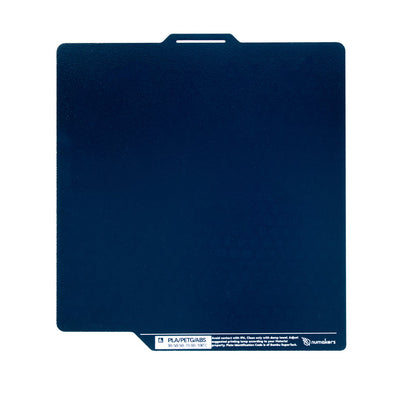
Which plate for which plastic
Plastic
Textured PEI
Smooth PEI
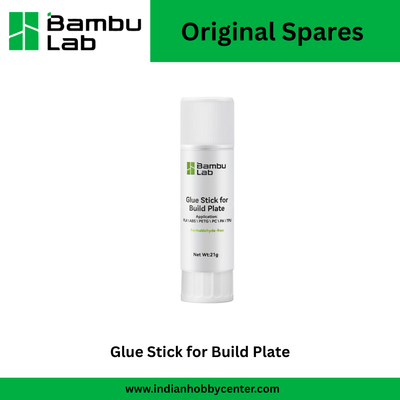
Glue stick?
PLA / PLA+
Excellent
Excellent
Not needed
PETG
Excellent
Good, use glue as a release layer
Yes on smooth PEI
ABS / ASA
Good
Good
Helps large parts
TPU
Excellent
Good
Helps release
Carbon fibre (PLA-CF, PETG-CF)
Excellent
Good
Optional
Always follow the plate guidance in Bambu Studio for your exact printer and plate.
03 / 08
The slicer settings that matter
Bambu Studio's default profiles are very good, so change only a handful of settings. These five make the biggest difference: walls, infill, layer height, supports and seam position.
A cheat sheet to start from
Goal
Layer height
Walls
Infill
Notes
Display model
0.16 to 0.2 mm
2
10 to 15% gyroid
Matte or silk filament
Functional part
0.2 mm
4
25% gyroid
PETG or PLA+
Very strong bracket
0.2 mm
6
40% gyroid
Orient load along layers
Fine figurine
0.08 to 0.12 mm
3
15%
Tree supports, slower outer wall
Quick draft
0.28 mm
2
10%
Check fit before final print
04 / 08
Treat filament like food: keep it fresh
Filament absorbs moisture from the air. In Indian monsoon humidity, an opened spool can start printing badly within days. Signs of wet filament: popping or hissing at the nozzle, stringing, rough or bubbly surfaces and weak, brittle parts.
Dry it in a filament dryer, or in the AMS 2 Pro if you have one, at roughly 50 to 55 °C for PLA and 60 to 65 °C for PETG for several hours. Follow the label on your spool, then store it sealed with silica gel.
05 / 08
Design for printing
A part designed for 3D printing prints faster, needs fewer supports and is stronger. Think about how it will sit on the bed while you design it.
Add a chamfer instead of a fillet on bottom edges, keep holes vertical where you can, and make walls a multiple of your nozzle width (for example 1.6 mm for four 0.4 mm lines).
06 / 08
Finish like a pro
Good finishing turns a print into a product. Remove supports with flush cutters, clean edges with a deburring tool, and sand in steps from coarse to fine grit with water.
For painted pieces, a coat of filler primer hides layer lines; sand it lightly and paint. For screws, press in brass heat-set inserts with a soldering iron.
A well-kept printer fails less often. Once a month, clean the plate properly, wipe the nozzle, clean and lubricate the moving parts as the manual says, check belt tension and blow dust out of the fans.
Every few months, look at the nozzle, PTFE tubes and extruder gears for wear. A worn nozzle causes thin, weak walls that look like a slicer problem but are not.
A monthly 10-minute routine
Wash the plateWarm water and dish soap, dry with a lint-free cloth.
Clean the nozzleHeat it and wipe burnt plastic away with a brass brush.
Clean and lubricate the motion partsWipe the rods or rails and apply lubricant as the Bambu Lab wiki says for your model.
Check belts and screwsBelts should be firm, not slack; tighten anything loose.
Clear dustBlow dust out of fans and the build chamber.
UpdateUpdate the printer firmware and Bambu Studio.
08 / 08
Questions
Why does my print stick in the middle but lift at the corners?
Usually the plate is not clean, or the room is cold and draughty. Wash the plate, add a brim, and for ABS or ASA keep the enclosure closed.
Why is my print stringy?
Wet filament or a temperature that is too high. Dry the spool first, then lower the nozzle temperature by 5 °C at a time.
How often should I change the nozzle?
It depends on the material. With PLA and PETG a nozzle can last many months. With carbon fibre or glow filament, a standard nozzle wears quickly, so use hardened steel.